
Pimoit Ask to test it

One hour on Sunday. Six days on their own.

Pimoit carries your lesson, their prayers and your care through the week, in about five minutes of yours.

Built by Patrick, a Grade 4 servant at St. Peter & St. Paul, for the servants he serves beside.

Ask to test it with my classFree
iPhone · iPad · AndroidFree, with no ads
Be one of your kids for a minute.

Tap through the phone. This is what a child in Grade 4 sees, from Saturday night to Monday.

Who’s posting this lesson?

Every demo below uses them. Stays in this browser only.

Saturday, 28 November

9:41

Sent to every child in Grade 4 the moment Tasoni Mariam posted the lesson.

Tap the notification

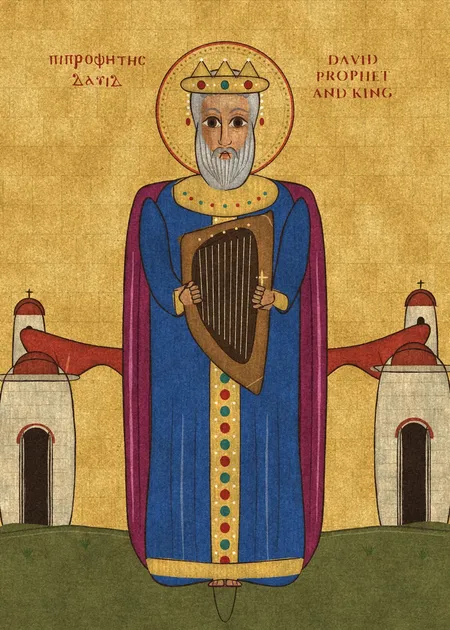
The lesson cover: an icon of David with his harp

GRADE 4

David and Goliath

Sunday 29 Nov · 10:00 AMReleased 28 NovIn 1 day

TMFrom Tasoni Mariam

What to expect

Bring your iPad or tablet: we’ll play a quick quiz together. Class party after the lesson, so bring a snack to share!

Bonus review after class

3 quick questions open one hour after the lesson starts, for three days. The quicker you answer correctly, the more points you earn.

Earlier lessons

GRADE 4

Lessons

Try

Bonus review open2 days left Sunday 22 Nov · 10:00 AM The Good Samaritan Who is my neighbour? A story Jesus told about mercy (Luke 10). From Tasoni Mariam

Coming up

All lessons

The Good Samaritan

Slide 1 of 5

Swipe, or use the arrows

Step 1 of 6

Saturday: the preview arrives

  1. Posting the lesson is the one tap that sends this. Every child in your class gets it right away, so they know what’s coming before they walk in.

  2. The cover, the day, a countdown and what to bring. They walk in curious instead of guessing.

  3. Nothing disappears after class. They can search every lesson by title, notes or servant. Tap “tree” or “mercy”.

  4. Upload a PDF or PowerPoint, or paste a Google Slides link. They flip through it any day of the week.

  5. It’s already running: answer the question. Every answer is on your slides, so kids go back to them.

  6. This is your screen. Question by question, how many got it right, and who took it. By name, never ranked.

On Monday you open the lesson and see, question by question, what stayed with them. You wrote the questions; Pimoit did the marking.

Peter has missed three Sundays. You’ll know before the fourth.

Iftiqad, without the spreadsheet. Take attendance in a few taps on Sunday. The third Sunday in a row he’s missing, you get a notification and a line on your checklist that stays until you mark it done. If a child stops opening the app for three weeks, it asks you to check in.

You open the checklist, see who needs you, and call. It keeps the list, so you can keep the people.

TMTasoni MariamGrade 44

Smart Checklist

  • You also got a notification. It stays here until you mark it done.

  • She still comes on Sunday. A quiet word might be all she needs.

  • Prayer requests reach his servants only, never the whole class.

  • Your head admin reads it first, then she opens it like a sealed letter.

Demo class, made-up names. Tap any line.

Their Bible, made their own.

John 1, exactly as a child sees it. Highlight a verse, keep a note, and ask a servant about it.

John 1

51 verses

Opening John 1…

Your notes
Question: John 1:5
John 1:5

now · ✓✓

Step 1 of 5

Highlight a verse

  1. Tap verse 5, where the hand is, then choose a colour: a Promise, Love, Prayer, Live it, or a Question.

  2. Tap Add note. One is already written, so just press Save. Only the child can see their notes.

  3. Tap Ask. The question is written. Choose who should answer, then press Send. It lands on that servant’s checklist.

  4. The servant answers once, right in the app. The child can reply about the same question. There’s never a private back-and-forth chat.

  5. Every verse with a note goes into Your notes, grouped by book in Bible order. Tap one to jump back to the verse.

A quiet phone. One switch holds notifications while the Agpeya or the Bible is open: automatic on Android, a one-time Shortcut on iPhone. Parents in favourites still ring.

Skimming doesn’t count. Reading does.

Each part of a chapter counts only once it has stayed on screen long enough to read. Fling through it, and the server saves it as their place to continue, not as a chapter read. Rushing gets an honest, gentle note, never a punishment.

Try it: read this page, or fling through itThis is what your kid sees; servants and parents never do.

This box works the way a chapter works in Pimoit. Read it at your own pace, and watch the gold line under it.

The page is split into small parts. Each part counts only once it has stayed on your screen long enough for the words in it to be read.

Now fling to the bottom as fast as you can. The faint line races ahead, but the gold line barely moves, because nothing that flew past was read.

Scroll back to what you skipped, read it, and the gold line catches up. Nothing is lost and nobody is scolded. The only way to finish is to read.

None of this is shown to servants or parents. It is between the child and God. Pimoit only makes sure that “I read it” means they read it.


When a child asks about a verse, it reaches your checklist with the verse attached. You answer once. Their notes and their reading stay theirs.

A new class that already feels like family.

When the year ends, you move each child up yourself: pick the class, write a blessing, and leave a private note for their new servant.

Daniel’s new class

With love,
Tasoni Mariam

He opens this, sealed, when he meets his new class. You can change the words.

Encrypted. Only the servants of his new class can read it, and it is deleted after 90 days.

Daniel’s phone

Daniel · Grade 4

His servant is still Tasoni Mariam. When you press Move Daniel, his welcome opens here.

A letter for you

From Tasoni Mariam

Your last servant wrote this for you.

Tap the seal to open it

Your servant · Grade 5

Uncle Mina

A word for you

Daniel, I’ve been praying for you since I heard you were coming. I can’t wait to hear you read in class.

· Uncle Mina

▶Hear Uncle Mina · 0:14

My saint

St. Mina

What he taught me: to stay faithful when it’s hard.

Welcome home.

Uncle Mina will pray for you this week. You will find him any time on your home page.

Uncle Mina · Grade 5

Smart Checklist

Before you press Move

Daniel is still in Grade 4

Demo names. Change the blessing and the note, then press Move.

About a minute per child. The shy one walks into Grade 5 already knowing their servants, and their new servant has your note the moment you press Move.

Points that mean something again.

Points come from learning, like the bonus review and work in class. Never from prayer or reading the Bible. You’re Mina, and you’ve saved 420.

Sunday School points Mina +10 (the rest went through the wash)
Paper points. Left in a pocket, put through the wash, swapped with a friend, counted by hand. By June nobody remembers what they were worth.

GRADE 4

Reward Store

0to spend
1

Mina gets a prize

Tap Get it on anything she has enough points for.

2

Your head admin’s checklist

Nothing waiting yet.

3

Your checklist: hand it over, tap Given

Nothing waiting yet.

You don’t count a thing. On Sunday you hand Mina her prize and tap Given; her phone updates by itself.

A servant’s real week.

Saturday night, 5 minutes: post the lesson. Sunday, a few taps: attendance. Monday, one look: what stayed with them. Everything else: 0.

The notification, the countdown, the marking, the absence alerts and the reminders happen by themselves.

Safe by design.

  • A child asks, a servant answers once. No private chats or calls between servants and children.
  • Every servant letter is read first by the head admin.
  • Points come only from learning. Prayer, the Bible and fasting earn zero, and the server enforces it.
  • Private things stay private. Confession notes stay on the phone behind a passcode.
  • The Church’s own words, unaltered and used with permission.
  • Nobody’s data is sold. Accounts can be deleted from Settings at any time.

What servants ask first

How much time will it take me?

A minute or two to look at your checklist and a few taps for attendance. Posting a lesson takes about five minutes, and it is optional. Absences, marking and reminders are done for you.

I’m not very techy. Will I manage?

Yes. There are four tabs and a checklist that tells you what to do next, with big text if you want it. Patrick will sit with you and set it up on your phone.

Can a servant message a child privately?
No. A child asks a question and a servant answers it once, and every letter a servant sends is approved by the head admin first.
Is it free? What does testing involve?
Free for every church, child and servant, with no ads. Use it with your class for a few weeks and tell us what helps. We email you the install steps for iPhone (TestFlight) or Android (Google Play).
Every feature, in one list

For children

  • Today: the Church Year band, Your Lamp, the hour, this week’s lesson, The Word, Carry it with you
  • Your Canon: set with Abouna, with the Agpeya, the Bible and the Synaxarium
  • Bible: Coptic Reader’s text, five highlighters, notes, a bookmark, and Ask a servant on any verse
  • Lessons: the poster, the slides, the bonus review, and every past lesson to search
  • Honest reading and Quiet while I pray and read
  • Welcome: meet your servants, and a sealed letter from your last one when you move up
  • My class: letters, chats with classmates, Coptic Hymns, the Candle Stand, the Reward Store
  • Private: Before I Sleep, Before Abouna, and My confession behind a passcode

For servants

  • Smart Checklist: questions, prayer requests, birthdays, absences, new students
  • Lessons: a cover, a Google Slides link or an uploaded PDF or PowerPoint, up to 10 bonus questions
  • What stayed with them: each question’s results, by name, never ranked
  • Attendance in a few taps, with absence alerts
  • Your hello: a photo, a voice note, your saint, so a new child meets you before Sunday
  • A warm handoff: a blessing for the child and a private note for their new servant
  • Letters and voice notes for real milestones, approved by the head admin

For head admins

  • Absences across the church and each class’s attendance rate
  • Attendance: which classes took it, and who recorded it
  • Lessons: read every one and send the servant a note
  • Servants: lesson posted, attendance taken, tap to message
  • Review: approve every servant letter
  • Church setup: classes, the tools each class uses, and invite codes

Try it with your class.

It takes 30 seconds. We email you the install steps for iPhone or iPad (TestFlight) or Android (Google Play), and Patrick will help you set it up.

Use it for a few weeks and tell us honestly what helps and what doesn’t. Servants who test decide what Pimoit becomes.

Please add your first name.
Please add your last name.
Please check your email, for example name@example.com.
I’ll test on
Please choose iPhone or Android.

Your details go only to the Pimoit team, to send you the invite. Prefer email? Write to thenarrowpathsupport@gmail.com.

Ask to test it with my classFree